 knacksnews
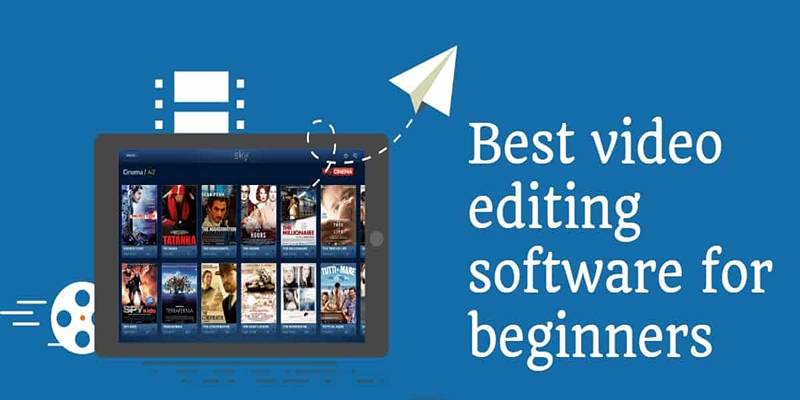
Create Stunning Videos with These 5 Free Editors for Absolute Beginners
In today’s digital world, video editing has become a skill many people want to learn. Whether someone is starting a YouTube channel, editing school projects, or creating short videos for social media, having access to beginner-friendly video editing software is a great advantage.
For those just starting, investing in expensive tools isn’t necessary. There are several free video editors available that provide the right balance of simplicity and features, allowing beginners to explore the basics while still producing quality content. Here are 5 of the best free video editing software options for beginners, chosen for their ease of use, practical tools, and reliability.
1. DaVinci Resolve – A Professional Choice for Serious Beginners
DaVinci Resolve has been widely recognized in the film and television industry for its advanced features. While the software is packed with professional tools, it’s still available for free and can be a great option for beginners who want to grow their skills quickly.
You can do the basic cutting, colour grading, audio mastering, and even add special effects with this program. While it may take some time to learn, those who are serious about video editing will see big benefits in the long run.
Key features include:
- Non-linear timeline editing
- Powerful color correction tools
- Multitrack audio editing
- 4K video support
- Built-in visual effects
Pros:
- Free with no watermark
- Offers tools used in Hollywood productions
- Works on Windows, macOS, and Linux
Cons:
- Requires a powerful computer
- The learning curve for total beginners
2. Clipchamp – Easy and Cloud-Based for Quick Projects
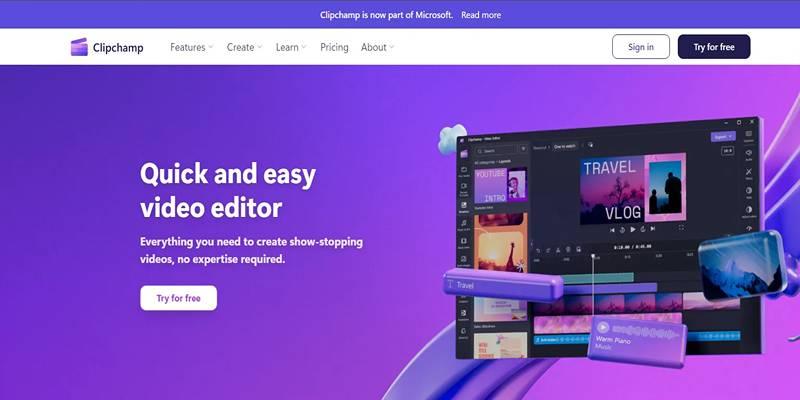
Clipchamp is a web-based video editor that’s perfect for beginners who want to create videos without installing heavy software. Owned by Microsoft, it has grown rapidly in popularity, especially among content creators who focus on short-form videos for platforms like TikTok and Instagram. Its drag-and-drop editor, built-in templates, and access to royalty-free stock make it ideal for users with little to no experience.
Key features include:
- Online editor accessible from any browser
- Pre-made templates for YouTube, social media, and ads
- Built-in video and audio stock
- Text, transitions, and filters
- Cloud saving and exporting
Pros:
- Beginner-friendly layout
- No installation needed
- Integrates well with Microsoft accounts
Cons:
- Advanced features locked behind the premium version
- Requires internet access to function
3. OpenShot – Lightweight and Simple for Absolute Beginners
OpenShot is an open-source video editor available for Windows, Mac, and Linux. It’s a perfect entry-level tool for those who are entirely new to video editing. The interface is clean and intuitive, with features that are easy to understand.
Although it doesn’t have many advanced tools, it handles basic editing tasks like cutting, trimming, transitions, and adding music with ease. It makes it especially useful for students or hobbyists working on simple video projects.
Key features include:
- Unlimited video and audio tracks
- Title editor
- Drag-and-drop timeline
- Simple transitions and effects
- Cross-platform support
Pros:
- Free and open-source
- Very easy to navigate
- Good for lightweight editing
Cons:
- Slower with large projects
- Limited features compared to professional tools
4. VSDC Free Video Editor – A Powerful Option for Windows Users
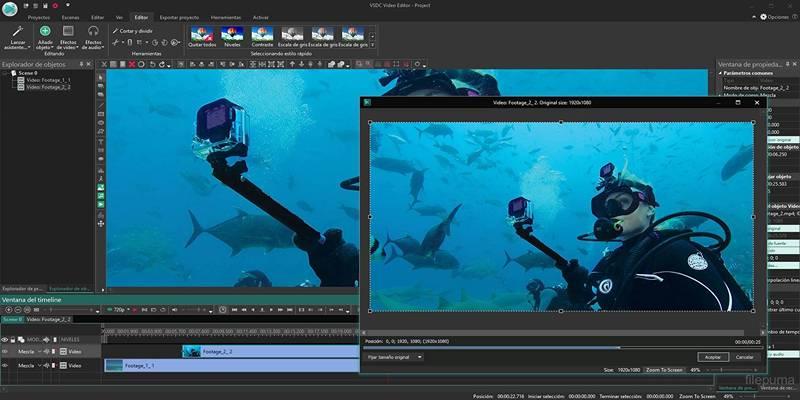
VSDC is a non-linear video editor designed for Windows. It offers a strong set of features that go beyond just cutting and trimming. It includes color correction, motion tracking, and audio editing—all in a free version.
While the interface might look slightly outdated, it functions well and includes everything a beginner would need to get started, as well as features to grow into over time. One major plus is that VSDC works offline, which is great for users with limited internet access.
Key features include:
- Non-linear editing timeline
- Visual and audio effects
- Motion tracking
- Voiceover and screen recording tools
- Color correction
Pros:
- Offers many advanced tools for free
- Works without internet
- No watermark on exports
Cons:
- Only available for Windows
- Interface may take time to get used to
5. HitFilm Express – Best Free Editor for Visual Effects
HitFilm Express stands out for its built-in VFX capabilities, making it a favorite among creators who want to experiment with effects like explosions, light flares, or sci-fi elements. It is a beginner-friendly version of the full HitFilm Pro software.
Despite being free, HitFilm Express doesn’t skimp on features. It provides a wide range of editing tools, along with tutorials and resources to help new users. There is also an in-app store where users can upgrade specific features if needed.
Key features include:
- Over 400 built-in visual effects
- Layer-based editing system
- Audio and color editing tools
- 2D and 3D compositing
- Built-in tutorials and user community
Pros:
- Great for creative video projects
- High-quality effects included
- Regularly updated
Cons:
- Needs a strong computer for smooth use
- Some export features are limited without upgrades
How to Choose the Right Video Editor
With so many choices, beginners may wonder which one is best for them. The answer depends on their goals, devices, and how comfortable they are with technology.
Here are some tips to help you decide:
- Check System Requirements:
Some software like DaVinci and HitFilm need a fast processor and good graphics card. OpenShot and Clipchamp work well on older machines. - Think About Video Goals:
For basic videos like class presentations, OpenShot and Clipchamp are enough. For short films or YouTube content, DaVinci or HitFilm is better. - Start Simple, Then Grow:
Beginners can start with OpenShot or Clipchamp, then move to VSDC or DaVinci as they improve.
Conclusion
Beginners have access to powerful free video editing tools that are both easy to use and feature-rich. Each software mentioned offers something unique, depending on the user’s goals and experience level. From OpenShot’s simplicity to DaVinci Resolve’s professional features, there's an option for every need. Clipchamp is perfect for quick online edits, while VSDC and HitFilm Express cater to more creative and detailed projects. Choosing the right one depends on the device, project type, and willingness to learn. Beginners can start small and move to advanced tools over time.
On this page
1. DaVinci Resolve – A Professional Choice for Serious Beginners Key features include: Pros: Cons: 2. Clipchamp – Easy and Cloud-Based for Quick Projects Key features include: Pros: Cons: 3. OpenShot – Lightweight and Simple for Absolute Beginners Key features include: Pros: Cons: 4. VSDC Free Video Editor – A Powerful Option for Windows Users Key features include: Pros: Cons: 5. HitFilm Express – Best Free Editor for Visual Effects Key features include: Pros: Cons: How to Choose the Right Video Editor Here are some tips to help you decide: ConclusionRelated Articles
Choosing the Right Platform: Zoom vs. Teams for Effective Remote Collaboration

LastPass vs. 1Password: A Guide to Choosing the Best Password Manager
Top 3D Model Converters to Change STL Files into OBJ Format Fast
The Best 5 PDF Editing Tools Compared for Fast and Easy File Changes
Turn Low-Res Clips Into HD: Top 5 Converter Tools
How to Add, View, and Print Comments in Google Docs: A Step-by-Step Guide
Explore the Best Developer-Friendly Online XML to JSON Converters
Beeper vs. Texts: Which All-In-One Messaging App Is Right for You
How to Use Variables in Google Docs for Smarter Document Automation: A Guide
Create Stunning Videos with These 5 Free Editors for Absolute Beginners
Secure Your Browsing: Best Online Privacy Tools to Use in 2025