 knacksnews
Turn Low-Res Clips Into HD: Top 5 Converter Tools
You shoot something meaningful—a family moment, a scenic view, or YouTube content—but when you play it back, the resolution feels underwhelming. It’s grainy, pixelated, or just doesn’t look sharp. That’s where a video resolution converter can help. These tools go beyond basic resizing; they enhance your footage for today’s HD and 4K screens.
Upscaling your videos can elevate the viewing experience, whether you're reviving old clips or improving new ones. However, not all tools deliver natural, usable results. Some are clunky, and others overprocess. If you're ready to leave blurry videos behind, the right converter can make a big difference—without the headache.
5 Tools to Upscale Your Videos
Each of these tools offers something unique—whether it’s ease of use, powerful AI, or studio-grade results—so you can find the right fit based on how much control or simplicity you need.
HitPaw Video Enhancer
HitPaw Video Enhancer focuses purely on what matters—making your videos look better with as little effort as possible. It doesn’t bombard you with technical clutter. Instead, it offers a selection of AI models based on the type of footage you're working with. Black-and-white film? There’s a model. Animated content? That too. Its real strength lies in its simplicity: upload a video, choose a model, and hit go. Behind the scenes, the software works hard to reconstruct lost details, not just stretch your footage.
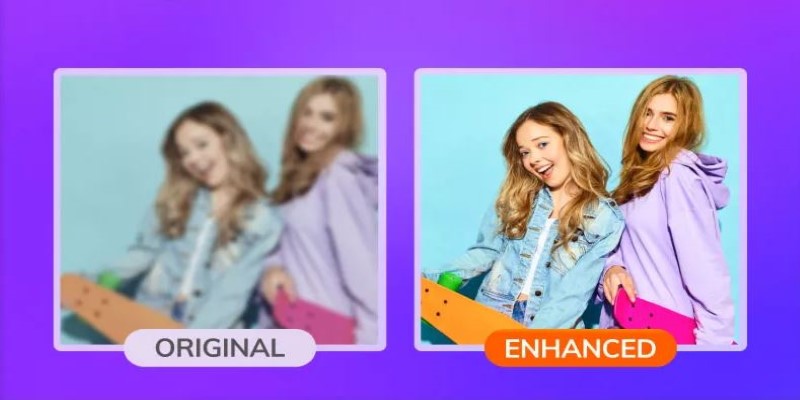
This is especially noticeable when you upscale from standard definition to 1080p or 4K—the final result looks natural, not fake or over-processed. Even if you're not tech-savvy, the clean layout and automated process make it incredibly approachable. HitPaw is ideal for restoring old clips, upgrading casual footage, or prepping videos for sharing. It gives fast, reliable results without needing a high-end computer or professional editing skills.
Topaz Video AI
Topaz Video AI is built for users who demand pixel-perfect upscaling. It's not a beginner tool, but if you care about precision and professional-grade enhancement, it delivers. What makes it stand out is how it handles detail during motion—fast scenes stay clear, whereas other tools usually blur. The software is driven by machine learning trained on real-world video data, allowing it to recreate subtle textures, improve lighting flaws, and eliminate compression noise.
While it requires some learning, the interface is intuitive once you're familiar with it. You can change resolution, adjust frame rates, and even improve motion smoothness. The AI upscaling isn't just visually impressive—it feels cinematic. Creators, videographers, and editors often use Topaz to polish their footage before release. It’s slow and resource-heavy, but the results are worth it if quality is your priority. For anyone serious about video restoration and enhancement, Topaz is a standout video resolution converter.
AVCLabs Video Enhancer AI
AVCLabs Video Enhancer AI offers a comfortable middle ground between advanced features and user-friendly design. Its clean interface and preset enhancement profiles make it easy to upscale your videos without getting bogged down in settings. You can choose presets for denoising, sharpening, or straight upscaling, and the software handles the rest. It’s especially useful for upscaling smartphone videos, social media clips, or old family footage. One of its standout features is frame interpolation, which helps remove jitter or choppiness in older or low-frame-rate videos.
The upscaled output looks natural and smooth without the harsh sharpness that some converters add. If you’re not looking for Hollywood-level restoration but still want to give your videos a visual upgrade, AVCLabs hits that sweet spot. It doesn’t require a lot of computing power either, which is a plus for casual users. Reliable, smart, and approachable—this is a solid choice for everyday video enhancement.
VideoProc Converter AI
VideoProc Converter AI combines speed and quality in a lightweight package that’s great for creators on the go. It uses full GPU acceleration to keep things fast, even on older machines. Beyond simple format conversion, it includes AI upscaling that bumps videos from SD to HD or HD to 4K without introducing artificial-looking artifacts. The real bonus? It comes with editing features like trimming, cropping, rotating, and noise reduction—all in one place. While it may not dig as deep into detail as high-end software like Topaz, the results are still clean and crisp, especially for videos that need light enhancement.
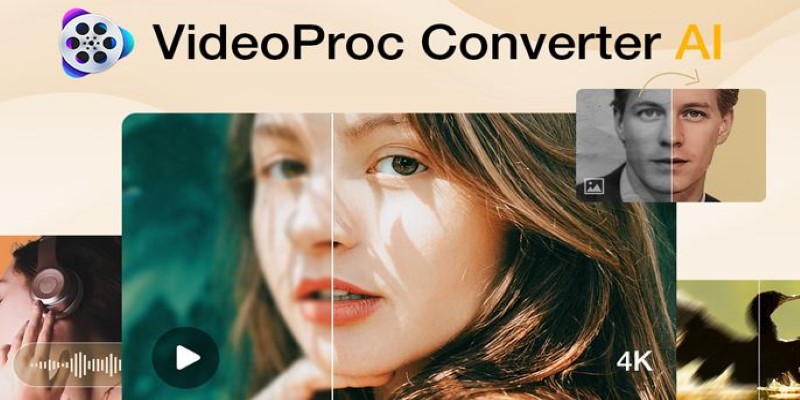
This tool is perfect for YouTubers, educators, and casual editors who want to improve quality quickly without switching between tools. VideoProc doesn’t overwhelm you with options, and the processing time is short. If you need a balance between speed, usability, and solid output, this video resolution converter is worth trying.
iSize BitClear
iSize BitClear takes a professional-grade approach to video upscaling, using perceptual optimization instead of brute-force filters. That means it analyzes how the human eye perceives clarity and sharpness, then enhances your footage to look more natural—not overly processed. It’s most useful for businesses, broadcasters, or serious content producers who need their videos to stand up under scrutiny. BitClear shines when it comes to reducing noise and fixing compressed video artifacts. It doesn’t blur or oversharpen; it refines.
Although it’s slower than some lighter tools, the results justify the wait—especially when your content will be streamed or archived for long-term use. This isn’t for beginners, but it’s not out of reach either. With a bit of guidance, even individual creators can get studio-level results. If your videos need more than a resolution boost—if they need real clarity and cleanup—then iSize BitClear is one of the most advanced video resolution converters out there.
Conclusion
Improving video quality isn’t just about resolution—it’s about making your footage look clean, natural, and ready for modern screens. The right video resolution converter can transform old or low-quality clips into something you're proud to share. Whether you want simplicity, advanced features, or professional-grade results, there's a tool suited to your needs. From AI-powered options to user-friendly platforms, upscaling your videos no longer has to be frustrating or technical. Choose a tool that fits your workflow, and you’ll start seeing sharper details, smoother motion, and an overall boost in clarity. Great visuals are within reach—you just need the right software.
Related Articles
How to Use Cisdem Video Converter: A Simple Step-by-Step Guide
Top 3D Model Converters to Change STL Files into OBJ Format Fast

Upgrade Your Videos: 7 Smart AI Enhancers

HubSpot vs. Pardot: Choosing the Best Marketing Software for Your Needs
How to Add, View, and Print Comments in Google Docs: A Step-by-Step Guide
How to Automate Recurring Tasks in Notion: A Step-by-Step Guide
How to Automate Time Tracking: Guide + Tools
The Best 5 PDF Editing Tools Compared for Fast and Easy File Changes

Best Tools for Sharing Large Files Online with Speed and Safety
Flodesk vs. Mailchimp: A Comprehensive Comparison to Help You Choose
Calendly vs. Acuity: Which Scheduling App Should You Use in 2025