 knacksnews
Top 3D Model Converters to Change STL Files into OBJ Format Fast
In the world of 3D printing and design, file formats matter. While STL files have long been the standard for 3D printing, there are times when a different format, like OBJ, is needed. It is where 3D model converters come into play. Converting STL to OBJ opens up new possibilities, especially for those working with textures, colors, or advanced modeling tools.
For designers, engineers, and hobbyists alike, knowing how to convert between file types is essential. This post explores the best STL to OBJ converters available today, focusing on simplicity, compatibility, and usefulness across various projects.
Understanding STL and OBJ File Formats
To appreciate why file conversion is often necessary, it's helpful to understand the difference between STL and OBJ formats.
What is an STL File?
STL, short for Stereolithography, is one of the most commonly used formats in 3D printing. It represents a 3D object's surface geometry using a series of connected triangles. However, STL files only store shape data — they don’t contain color, texture, or material properties. Despite being compact and printer-friendly, STL is quite limited when working with complex designs or visual details.
What is an OBJ File?
OBJ files go a step further. Along with geometric data, they support material and texture mapping. Designers working on models for games, animation, or high-resolution rendering often prefer OBJ files. This format offers more flexibility, especially when a project involves more than just basic shape outlines.
Why Convert STL to OBJ?
There are several reasons why someone might choose to convert STL files to OBJ. Most of them relate to extending functionality or improving compatibility across different tools and platforms.
Key reasons include:
- Enhanced design flexibility: OBJ files allow designers to add textures and materials, which STL does not support.
- Software compatibility: Some modeling or rendering tools require OBJ format instead of STL.
- Visual presentation: OBJ files provide better results in animations, simulations, and visual previews.
- Multi-purpose modeling: OBJ works well for both printing and visualization, making it ideal for hybrid workflows.
For professionals and hobbyists who are no longer just printing but also animating or showcasing models, STL to OBJ conversion becomes essential.
Best STL to OBJ Converters
A wide range of software is available for converting STL to OBJ files. Some tools are web-based and simple, while others are advanced programs designed for modeling and engineering. Below is a selection of popular converters, each with its strengths.
MeshLab
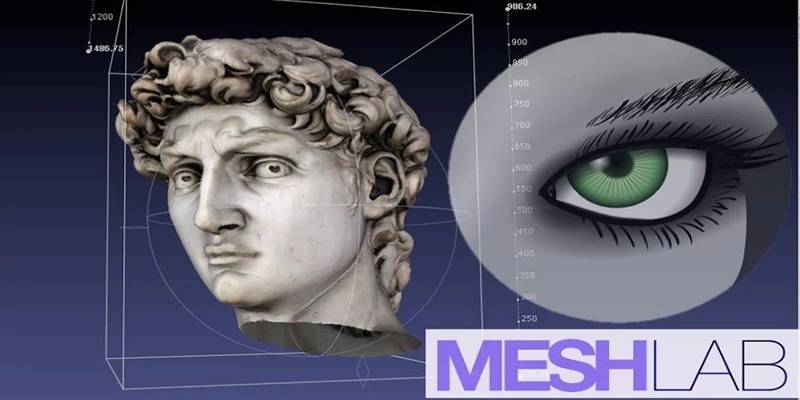
MeshLab is a free and open-source 3D mesh processing tool used by engineers, researchers, and designers. It supports file conversion from STL to OBJ with ease and offers additional tools for cleaning and repairing mesh models.
Highlights:
- Works on Windows, Mac, and Linux
- Lightweight and free
- Ideal for quick file conversion and model optimization
Use case: A user downloads a raw STL file from a modeling site and uses MeshLab to convert it into OBJ before importing it into texturing software.
Blender
Blender is a well-known, professional-grade 3D modeling tool that also doubles as a reliable STL to OBJ converter. Though more complex than others, it offers unmatched versatility for those who want to do more than convert files.
Highlights:
- Free and open-source
- Supports a wide variety of formats
- Full 3D modeling and rendering suite
- Great for users who need to adjust or edit the model
Use case: A 3D artist designing game assets in STL format uses Blender to convert to OBJ and apply realistic materials before exporting the final product.
FreeCAD
FreeCAD is a parametric 3D modeling tool particularly favored in engineering and product design. It's also a reliable STL to OBJ converter for technical users.
Highlights:
- Open-source and free
- Available on Windows, macOS, and Linux
- Built-in features to modify models before exporting
Use case: An engineer designs a mechanical part in STL but later needs to animate it using software that requires OBJ. FreeCAD enables quick and accurate conversion.
Online STL to OBJ Converters
Not everyone wants to install the software. For quick tasks, online converters offer convenience and speed. While they lack editing capabilities, they work well for basic format switching.
AnyConv

AnyConv is a popular web-based tool that supports STL to OBJ conversion in a few clicks. It’s free and doesn’t require registration.
Highlights:
- Easy drag-and-drop interface
- Fast conversion for small to medium-sized files
- No installation needed
Use case: A student working on a school project uploads an STL model and downloads the OBJ version for use in a visualization app.
Aspose 3D File Converter
Aspose offers a cloud-based tool for various 3D format conversions. It supports not just STL and OBJ but many others, making it a good choice for diverse needs.
Highlights:
- No sign-up required
- Secure cloud processing
- A quick download of converted files
Use case: A freelance designer uses Aspose to convert several STL files to OBJ for quick review in a mobile 3D viewer.
Important Tips Before Converting
While converting STL to OBJ is generally straightforward, a few best practices can help avoid common issues.
- Inspect your STL file first: Use tools like MeshLab to check for errors or mesh problems.
- Back up original files: Always save a copy before converting or editing a model.
- Clean the mesh: Use cleanup tools if your model contains holes, duplicates, or non-manifold edges.
- Test after conversion: Import the OBJ into the target software to verify that materials and structure appear correctly.
These small steps can prevent major issues later in the design or printing process.
Conclusion
The ability to convert 3D model files from STL to OBJ adds great flexibility to the workflow of anyone involved in design, animation, or 3D printing. While STL is the backbone of 3D printing, OBJ opens the door to more creative and detailed projects. Whether using free tools like MeshLab and Blender or choosing fast online converters like AnyConv, users now have more control over how they manage and present their 3D models. By understanding the purpose of each format and choosing the right tool, professionals and hobbyists alike can simplify their creative process.
On this page
Understanding STL and OBJ File Formats What is an STL File? What is an OBJ File? Why Convert STL to OBJ? Key reasons include: Best STL to OBJ Converters MeshLab Highlights: Blender Highlights: FreeCAD Highlights: Online STL to OBJ Converters AnyConv Highlights: Aspose 3D File Converter Highlights: Important Tips Before Converting ConclusionRelated Articles

Bringing Old Footage Back to Life: A Video Remastering Guide
Best Free Tools to Turn SVG into PNG for Your Cricut or Silhouette

Secure Your Browsing: Best Online Privacy Tools to Use in 2025
Cropping Videos in QuickTime: Step-by-Step Guide and Alternatives

How to Add, View, and Print Comments in Google Docs: A Step-by-Step Guide

HubSpot vs. Pardot: Choosing the Best Marketing Software for Your Needs

Create Stunning Videos with These 5 Free Editors for Absolute Beginners
Turn Low-Res Clips Into HD: Top 5 Converter Tools
How to Automate Recurring Tasks in Notion: A Step-by-Step Guide
The Best 5 PDF Editing Tools Compared for Fast and Easy File Changes
How to Automate Time Tracking: Guide + Tools