 knacksnews
How to Automate Time Tracking: Guide + Tools
Businesses and work teams need time-tracking systems to assess how well their operations run, meet billing requirements, and achieve better workflow results. Manually recording time takes a lot of effort and produces errors. Automation proves to be a useful solution that lets people track their time without extra work to maintain it. This article explains how to set up six robot-based time-tracking systems that work properly and accurately.
Why Automate Time Tracking?
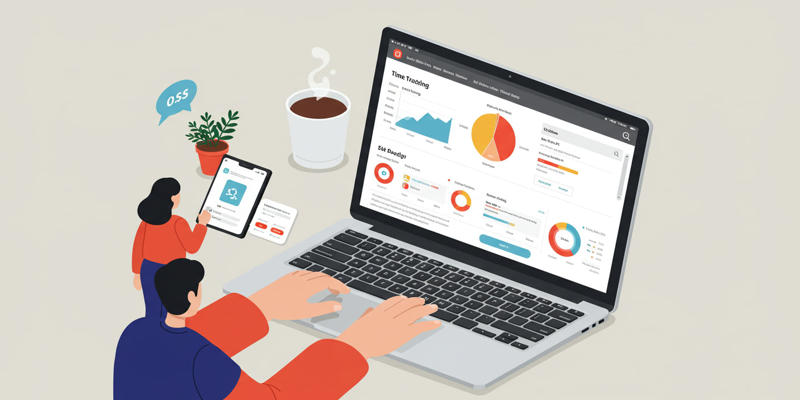 Time tracking automation stops problems caused by missed entries and wrong time records along with reducing the time needed to do manual updates. Here’s why automation is crucial:
- The system fixes timekeeping problems that occur when people perform logging manually.
- Switching to task-related work lets you focus better instead of entering time details by hand.
- The system connects to multiple programs to help users work faster and easier.
- Commissioned reports give users data that helps them improve workflows.
1. Use AI-Powered Time Tracking Tools
Machine learning technology in Time Doctor and Clockify accurately tracks employees' work hours. These systems spot when you do not use your device and watch your behavior to start and stop your time tracker session.
Key Features:
- The system stops tracking time when you do not work to record accurate periods.
- Smart apps notify users to begin or end their tracking period through analysis of their working habits.
- Each device automatically updates all data records at the same time for consistent results.
Tool | AI Features | Pricing |
|---|---|---|
Time Doctor | Idle detection & reminders | From $9/month |
Clockify | Automatic syncing | Free; paid plans from $4.99/month |
2. Integrate Time Tracking with Project Management Tools
Users can connect Time Doctor to platforms like Asana Trello and Monday.com to keep track of their project work hours. Harvest and Toggl Track collaborate with projects directly through their default feature connexions.
Benefits of Integration:
- Employees work smoothly when they can see and track tasks with time management tasks in a single application.
- The system automatically connects tracked time entries to the correct projects for improved project reporting and billing.
- Users need fewer manual copy-paste actions between different programs to work.
Tool | Integration Platforms | Pricing |
|---|---|---|
Harvest | Asana, Trello, QuickBooks | Free (1 user); $10/month/user |
Toggl Track | Google Calendar, Slack | Free; paid plans from $9/month/user |
3. Automate Reporting and Invoicing
TimeCamp and FreshBooks let users create timesheets and invoice reports directly from their recorded hours. These systems feature automatic report and invoice generation, so users can effortlessly create scheduled reports and send them to customers or team associates.
Key Features:
- Users can get exact billable hour reports without entering numbers by hand.
- Use time entries to produce professional invoices for both external clients and company use.
- Set regular report schedules to receive continuous details about team effectiveness.
Tool | Reporting Features | Pricing |
|---|---|---|
FreshBooks | Automated invoicing | From $15/month |
TimeCamp | Recurring reports | Free; paid plans from $3.99/month/user |
4. Leverage Browser Extensions for On-the-Go Tracking
 Browser extensions given by Toggl Track and Clockify help people track their time within web browsers through add-ons that work like timeиюмeters. These extensions let you work efficiently online by tracking time through Google Calendar and other major applications as you perform your daily tasks.
Benefits:
- Start/stop timers directly from browser tabs for convenience during web-based work sessions.
- The tool records your online time usage for designated internet domains and programs.
- Sync data with desktop or mobile apps for comprehensive reporting.
Tool | Extension Features | Pricing |
|---|---|---|
Toggl Track | Calendar integration | Free; paid plans from $9/month/user |
Clockify | Website monitoring | Free; paid plans from $4.99/month/user |
5. Use GPS-Based Time Tracking for Remote Teams
Businesses that handle remote or field team employees can use QuickBooks Time to track locations automatically and record working hours. These tracking systems record worker place locations automatically while capturing their working time away from central offices.
Key Features:
- GPS functionality tracks employee movements during work hours.
- The system records when staff members arrive or leave their job sites automatically.
- Ideal for industries like construction, delivery services, or field sales.
Tool | GPS Features | Pricing |
|---|---|---|
QuickBooks Time | Location-based logging | From $20/month |
Deputy | Shift scheduling & GPS | From $2/user/month |
6. Automate Task-Specific Time Tracking with Rules
ClickTime lets users make rules that start and end task tracking when specific events like calendar entries or program usage patterns happen.
Benefits:
- The system starts and stops timers when it finds task-related activities.
- Let the system record work hours connected to jobs without user intervention.
- Use time-tracking automation to prevent you from getting sidetracked when starting and finishing tasks.
Tool | Rule-Based Automation | Pricing |
|---|---|---|
ClickTime | Task-specific triggers | From $12/month |
Paymo | Workflow automation | Free; paid plans from $4.95/month/user |
Comparison Table: Automated Time Tracking Tools
This chart shows time-tracking systems that automatically track work activities. These automated time trackers stand out from one another, according to our fast product review. Here’s a quick comparison of the top automated time-tracking tools:
Tool | Key Automation Features | Best For | Pricing |
|---|---|---|---|
Time Doctor | Idle detection & reminders | Individual & team tracking | From $9/month |
Clockify | Browser extension integration | Freelancers & small teams | Free; paid plans from $4.99/month |
FreshBooks | Automated invoicing | Small businesses | From $15/month |
QuickBooks Time | GPS-based logging | Remote teams | From $20/month |
ClickTime | Rule-based task automation | Task-specific tracking | From $12/month |
Conclusion
Using these tools and methods to automate time-tracking procedures will help you prevent mistakes and improve workflow while letting you work toward your desired outcomes. No matter the size of your team or your work status, these automation practices help you create precise records while increasing performance at every level.
On this page
Why Automate Time Tracking? 1. Use AI-Powered Time Tracking Tools Key Features: 2. Integrate Time Tracking with Project Management Tools Benefits of Integration: 3. Automate Reporting and Invoicing Key Features: 4. Leverage Browser Extensions for On-the-Go Tracking Benefits: 5. Use GPS-Based Time Tracking for Remote Teams Key Features: 6. Automate Task-Specific Time Tracking with Rules Benefits: Comparison Table: Automated Time Tracking Tools ConclusionRelated Articles

How to Use Variables in Google Docs for Smarter Document Automation: A Guide

How to Add, View, and Print Comments in Google Docs: A Step-by-Step Guide
Best Tools for Sharing Large Files Online with Speed and Safety

Base64 Encoding and Decoding Made Easy with Free Online Tools

How to Use Stable Diffusion to Create AI-Generated Images: A Beginner’s Guide

Create Stunning Videos with These 5 Free Editors for Absolute Beginners

The Best 5 PDF Editing Tools Compared for Fast and Easy File Changes

Best Free Tools to Turn SVG into PNG for Your Cricut or Silhouette
Bringing Old Footage Back to Life: A Video Remastering Guide

How to Automate Recurring Tasks in Notion: A Step-by-Step Guide
Which is Better for Your Business: ConvertKit vs. ActiveCampaign